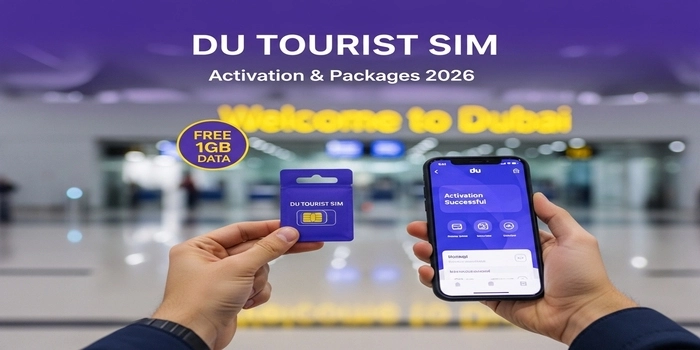
Staying connected in Dubai is now easier than ever. When you arrive at Dubai International Airport (DXB) and pass through immigration, the officer will hand you a Free Du Tourist SIM card. This gift includes 1GB of free data for 24 hours, which is perfect for booking a taxi, using Google Maps, or calling your family to say you’ve arrived safely.
However, many travelers find it difficult to activate the SIM or don’t know which internet packages to buy for a longer stay. If your SIM is not working, or you are wondering how to convert your tourist SIM to a permanent one, you are in the right place. In this simple guide, we will show you exactly how to get your SIM started and which data plans will save you the most money during your trip to the UAE.
Table of Contents
Who Can Get a Du Tourist SIM and Where to Find It?
The Du Tourist SIM is specially designed for visitors, tourists, and GCC nationals entering the UAE. To get your hands on this SIM, you must be 18 years or older and have a valid Passport and Tourist Visa. The most convenient way to get it is at the Immigration Counter at Dubai International Airport (DXB) or Al Maktoum International Airport (DWC). If you missed it at the airport, don’t worry! You can also buy one at any official Du shop located in major malls like the Dubai Mall or Mall of the Emirates by simply showing your passport.
How to Activate Your Du Tourist SIM (Step-by-Step)
Once you have your SIM card, you need to activate it to start using your free data. The process is digital and usually takes less than 2 minutes. Follow these simple steps:
- Insert the SIM: Place the SIM card into your phone’s SIM slot.
- Wait for Signal: Wait until you see the “du” network name and signal bars at the top of your screen.
- Dial the Activation Code: Open your phone’s dialer and type
*122#, then press the call button. - Enter Your Details: You will see a prompt asking for your Year of Birth (for example, 1995). Type it and hit send.
- Confirmation: You will receive a Welcome SMS confirming that your SIM is active and your 1GB free data has been credited.
Once activated, don’t forget to check your Du balance to track your free 1GB usage.
Pro Tip: If you are using an iPhone or a high-end Android, you can also ask for a Du Tourist eSIM at the counter if you don’t want to remove your home country’s SIM card.
Du Tourist SIM Validity: How Long Does It Last?
It is important to know that a tourist SIM is not permanent. Here are the rules for its validity:
- Initial Validity: The SIM is valid for 90 days from the date of activation.
- The Free 1GB: The free data you get at the airport is only valid for 24 hours. Make sure to use it or top up your balance before it expires.
- Extension: If you extend your tourist visa, your SIM card validity is usually extended automatically to match your new visa status.
- Expiration: If you do not recharge or use the SIM for a long time, the number will be disconnected, and you cannot get it back once you leave the UAE.
What happens if your SIM is not working?
Sometimes, tourists face a “No Service” or “Activation Failed” error. If this happens to you:
- Restart your phone after inserting the SIM.
- Make sure your phone is “Network Unlocked” (some phones bought on contract in the US or UK are locked to specific carriers).
- If
*122#doesn’t work, send an SMS with your Date of Birth to the number 1222.
Best Du Tourist SIM Data Packages 2026
Once your free 1GB is over, you will need to buy a “Tourist Plan.” Du offers several options depending on how many days you are staying in Dubai. Here are the most popular “Best Value” packs:
| Data Limit | Flexible Minutes | Validity | Price (AED) |
| 2 GB | 30 Minutes | 10 Days | 49 AED |
| 6 GB | 30 Minutes | 15 Days | 99 AED |
| 10 GB | 30 Minutes | 28 Days | 139 AED |
| Unlimited | 100 Minutes | 10 Days | 200 AED |
Note: “Flexible Minutes” can be used for both local UAE calls and international calls to most countries.
How to Subscribe to a Plan:
- Via App: The easiest way is to use the My Du App.
- Via Code: Dial
*135#from your phone and follow the menu to select “Tourist Offers.”
How to Recharge Your Du Tourist SIM
If you run out of credit, you can quickly recharge your Du SIM online using our step-by-step guide.
- Online (No Login): Go to the Du website and use the “Quick Recharge” feature. You can pay with your home country’s Visa or Mastercard.
- Grocery Stores: Visit any small grocery store or supermarket (like Zoom or Carrefour) and ask for a “Du Recharge Card.”
- To use the card, dial
*131* [13-digit code] #.
- To use the card, dial
- My Du App: This is the best method as it often gives you extra bonus data for recharging through the app.
Important Tip: Don’t Forget the “Social Data”
Many Du tourist plans come with “Social Data.” This means you can use apps like WhatsApp, Facebook, and Instagram without consuming your main 2GB or 6GB data limit. Always check the “Offer Details” in the app to see if your plan includes free social messaging!
How to Convert Du Tourist SIM to Permanent Line
If you have decided to move to Dubai or have recently received your Emirates ID, you don’t need to change your phone number. You can easily switch your “Tourist” status to a “Resident” status.
- Visit a Du Store: You must physically go to a Du shop (available in Dubai Mall, Mall of the Emirates, or Mirdif City Centre).
- Bring Documents: Take your Original Emirates ID and your passport.
- Update Registration: Ask the staff to “Convert my Tourist SIM to a Monthly Plan or Prepaid.”
- Why do this? Once it is permanent, your SIM won’t expire when your visa ends, and you can subscribe to much cheaper monthly data contracts.
Troubleshooting: My Du Tourist SIM is Not Working?
If you have followed the steps but still have no internet, try these quick fixes:
- Manual Network Selection: Go to your phone Settings > Mobile Data > Network Selection. Turn off “Automatic” and manually select “du”.
- APN Settings: Ensure your Access Point Name (APN) is set to
du. Usually, this happens automatically, but a quick restart of your phone can fix it. - Check Balance: Dial
*135#to make sure you haven’t used up your free 1GB already.
Frequently Asked Questions (FAQs)
Is the Du Tourist SIM really free?
Yes, the SIM card itself and the first 1GB of data (valid for 24 hours) are free for tourists arriving at Dubai Airport.
Can I use WhatsApp Calling on a Du Tourist SIM?
Standard WhatsApp voice and video calls are restricted in the UAE. However, you can use the GoChat Messenger app or a VPN (at your own discretion) to make internet calls.
Does the Du Tourist SIM support eSIM?
Yes! If your phone supports eSIM (like iPhone 11 or newer), you can ask the Du agent at the airport for a QR code instead of a plastic SIM card.
What happens if I lose my Tourist SIM?
You can visit any Du store with your passport to get a replacement SIM card for a small fee (around 20-30 AED).
Conclusion
The Du Tourist SIM is the most convenient way to stay connected from the moment you land in Dubai. By using the *122# activation code and keeping an eye on your 90-day validity, you can enjoy high-speed internet across the UAE. Just remember to download the My Du App to manage your packages easily!

Hi! We’re the Travel Blog Dubai Team — passionate travelers who explore Dubai every day to bring you honest tips, best places to visit, budget ideas, and real experiences.Whether you’re planning your first trip or you live in the UAE, our guides help you discover the best of Dubai, hassle-free.