Blog
UAE SIM Card for Tourists: How to Choose Between a Physical SIM and eSIM
November 3, 2026
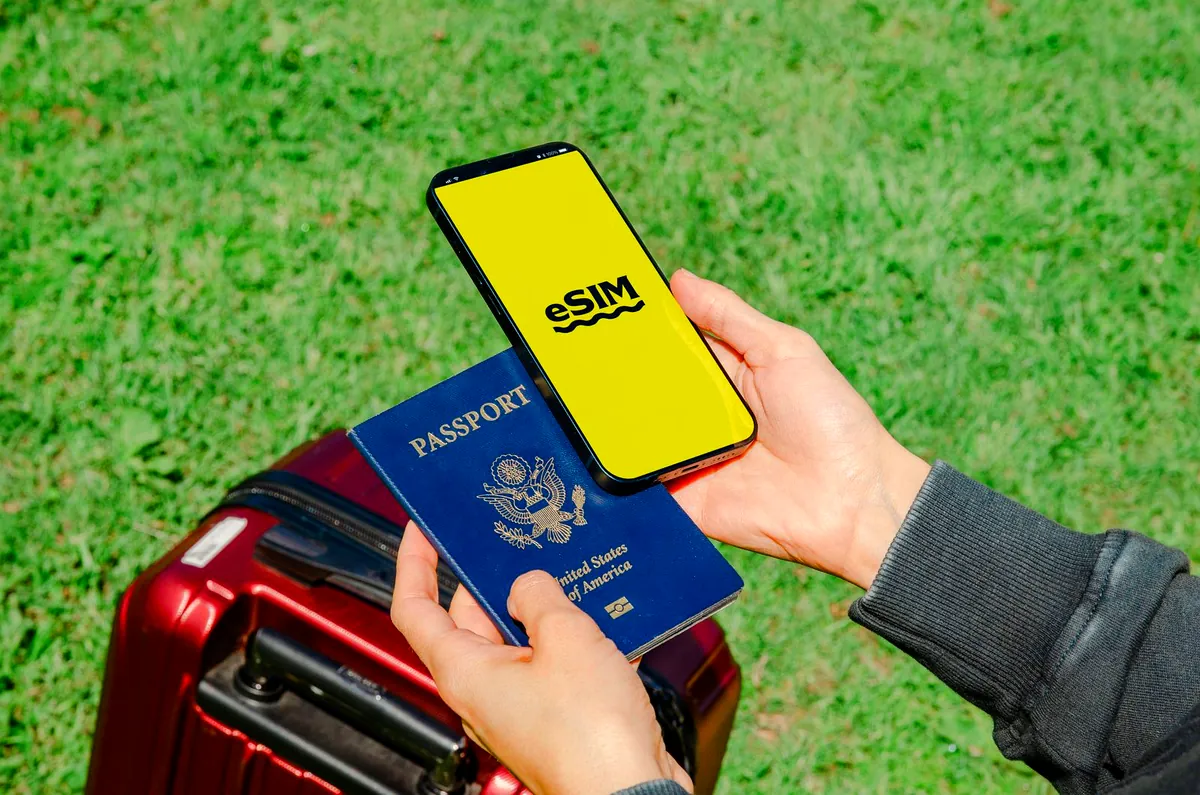
Landing in the UAE after a long flight is exciting, but finding an internet connection should not become your first problem. You may need mobile data to book a taxi, check your hotel location, contact family or find directions to your next destination.
If you are visiting Dubai, Abu Dhabi or another emirate, getting a local SIM card can make your trip easier. However, there are several options to consider, including a physical tourist SIM, an eSIM and international roaming through your home network.
So, which one should you choose?
The right option depends on your phone, travel duration, internet usage and whether you need a UAE phone number for local calls. This guide explains how to choose a UAE SIM card for tourists, where to buy one, how to activate it and what to know before using mobile data in the country.
1. What Are Your SIM Card Options in the UAE?
Visitors to the UAE generally have three ways to stay connected: international roaming, a physical tourist SIM and an eSIM. Each option has different costs, setup requirements and benefits.
International Roaming With Your Home SIM
International roaming allows you to use your existing mobile number while travelling in the UAE. You do not need to purchase another SIM card or change your phone settings significantly.
It can be convenient if you want to receive calls, text messages and bank verification codes on your regular number. However, roaming charges can be expensive if your home operator does not offer an affordable UAE package.
Before departure, contact your mobile provider and check its international roaming rates. Ask whether it offers a daily travel pass, a fixed data package or discounted calls for the UAE.
Roaming may be suitable for a short visit, especially if your current mobile plan already includes international data.
Buying a Physical Tourist SIM Card
A physical SIM card is a small chip that you insert into your mobile phone. You can purchase a UAE tourist SIM from an authorised telecom shop or an airport outlet.
These SIM cards are designed for visitors and may include mobile data, local calls, international minutes and text messages, depending on the selected package.
A physical tourist SIM is a practical choice if your phone does not support eSIM technology. It can also be useful if you prefer getting help from a shop assistant during registration and activation.
You will need to remove your existing SIM if your phone has only one physical SIM slot. Keep your home SIM somewhere safe so you can use it again after your trip.
Installing an eSIM in the UAE
An eSIM is a digital SIM that you can install on a compatible smartphone without inserting a physical card.
It is particularly useful for international travellers who want to arrange their mobile connection before arriving in the UAE. You can purchase an eligible plan online, install the eSIM and follow the provider’s instructions to activate it.
Some eSIM plans offer data only, while others include local calls and a UAE phone number. Always check the package details before purchasing.
Many modern smartphones allow users to store multiple SIM profiles, although the number of lines that can operate simultaneously depends on the device.
You may also be able to keep your home SIM active for important messages while using the UAE eSIM for mobile data. However, your home operator may still charge roaming fees for calls, texts or data.
2. Best Tourist SIM Card Options in the UAE
The UAE has established telecom providers offering mobile services for visitors. Before choosing a package, compare the available data, validity, calling minutes, price and activation method.
Here are some options to consider.
e& Visitor Line
e& (formerly Etisalat) offers a prepaid Visitor Line designed for people travelling to the UAE. Its packages can include mobile data, local and international calling minutes, and other visitor benefits.
Visitors can explore different package options depending on their communication needs. The operator also provides ways to manage and recharge the line through its app and retail outlets.
You can check the latest packages, eligibility requirements and activation details on the official e& Visitor Line page.
du Tourist SIM
du offers tourist mobile plans with different data and calling options. Visitors can choose from available prepaid packages based on how long they plan to stay and how much mobile data they expect to use.
The provider also offers tourist eSIM options, allowing eligible visitors to connect without inserting a physical SIM card.
Check the latest packages, prices and validity periods on the official du tourist SIM page.
Virgin Mobile UAE Tourist Plans
Virgin Mobile UAE is another option worth comparing when looking for a tourist SIM card in Dubai.
It offers digital mobile services and tourist packages, with options that may include physical SIM cards or eSIMs, depending on current availability and eligibility.
Its app-based setup can be convenient for travellers who prefer managing their mobile service digitally.
Visit the official Virgin Mobile UAE website to check current tourist offers and supported activation methods.
Which provider should you choose? There is no single package that suits every traveller. Compare the latest offers from e&, du and Virgin Mobile before making a decision. A visitor staying for three days may need a different package from someone spending a month in the UAE.
3. Physical SIM vs eSIM: Which Is Better for Tourists?
Both options can provide mobile internet during your UAE trip, but the setup process is different.
| Feature | Physical SIM | eSIM |
|---|---|---|
| Installation | Insert into phone | Install digitally |
| Phone compatibility | Most unlocked phones | eSIM-compatible phones |
| Airport purchase | Available at operator outlets | May be available online or through QR activation |
| Physical card | Required | Not required |
| Setup assistance | Available at retail shops | Usually follows provider instructions |
| Home SIM | May need to be removed | Can often remain installed |
| Best suited for | Travellers preferring a physical card | Travellers with compatible devices |
When Should You Choose a Physical SIM?
A physical tourist SIM may be more suitable if:
- Your smartphone does not support eSIM.
- You want assistance from a telecom shop.
- You prefer having a local SIM card that you can physically remove.
- You want to compare available packages at an airport counter.
When Should You Choose an eSIM?
An eSIM may be a better fit if:
- Your smartphone supports eSIM technology.
- You want to arrange your connection before travelling.
- You prefer not to remove your home SIM.
- You only need mobile data for maps, messaging and browsing.
- You want to manage your mobile plan digitally.
Before buying an eSIM, check that your phone is unlocked and compatible with the provider’s network. Also confirm whether the package includes a local UAE number or only internet data.
4. How to Buy a Dubai Tourist SIM Card at the Airport
Buying a Dubai tourist SIM card at the airport is a convenient option for visitors who want mobile internet shortly after arrival.
Dubai International Airport has telecom outlets where eligible travellers can explore visitor SIM packages. You can also check online offers before your journey to understand the available plans.
The general process is straightforward:
- Visit an authorised telecom operator’s counter or shop.
- Choose a tourist SIM package based on your data and calling needs.
- Present the required identification documents.
- Complete the registration and activation process.
- Insert your physical SIM or follow the eSIM activation instructions.
- Test mobile data before leaving the counter, if possible.
The UAE government states that visitors purchasing local SIM services need to provide a passport copy and UAE visa information. Requirements may vary depending on the provider and registration process, so check before purchasing.
For more information, visit the UAE Government’s mobile and internet services guide.
5. How to Choose the Right UAE SIM Card for Your Trip
Before purchasing a package, think about how you will use your phone during your stay.
Check Your Phone Compatibility
First, check whether your smartphone is unlocked and supports the SIM type you want to use.
If you are considering an eSIM, look up your phone model on the manufacturer’s website or check its settings. Not every smartphone supports eSIM technology, and some devices may be restricted to a particular network.
Consider Your Trip Duration
Your travel duration can help you decide which package to buy.
For example:
- Short visit: A small data package or short-validity plan may be enough.
- One-week holiday: Compare plans with enough data for navigation, messaging and browsing.
- Two-week trip: Look for a package with suitable validity and recharge options.
- Longer stay: Compare monthly or longer-validity prepaid options where available.
Check the plan’s expiry date carefully. Some packages begin their validity when activated rather than when purchased.
Estimate Your Daily Data Usage
Your internet needs depend on how you use your phone.
Maps, messaging and occasional browsing usually require less data than video streaming, video calls, uploading large files or working remotely.
If you regularly share photos and videos on social media, consider a larger data allowance. Travellers who mainly use hotel Wi-Fi may be comfortable with a smaller mobile data package.
Decide Whether You Need a Local UAE Number
Some visitors only need internet access for maps, messaging and browsing. A data-only eSIM may be sufficient for them.
However, a local UAE number can be useful when contacting hotels, restaurants, tour operators, delivery services or local businesses.
Before purchasing a data-only plan, check whether your bookings or travel services require a local phone number.
Check Package Conditions
Do not compare packages by price alone. Review the following details before making a purchase:
- Total data allowance.
- Plan validity and expiry date.
- Local and international calling minutes.
- SMS availability.
- Hotspot or tethering restrictions.
- Recharge options.
- Additional charges after using the included allowance.
These details can help you avoid unexpected expenses during your visit.
6. How to Set Up Your UAE SIM or eSIM Before Travelling
Preparing your phone before departure can save time after landing. The setup process depends on the option you have selected.
If You Choose International Roaming
Contact your home mobile operator and check its UAE roaming packages.
Ask about daily charges, data allowances and whether roaming needs to be activated before departure.
You can also:
- Turn off automatic app updates.
- Disable unnecessary background data.
- Stop automatic cloud backups while travelling.
- Check whether your plan includes incoming calls and SMS.
- Keep track of your roaming usage.
If you want to use a local UAE SIM for internet while keeping your home number available, check whether your phone supports dual SIM functionality and review your home operator’s roaming charges.
If You Choose a Physical Tourist SIM
Before travelling, check the identification documents required by your chosen provider.
When you arrive:
- Visit an authorised telecom outlet.
- Select your preferred visitor package.
- Complete the required registration.
- Insert the SIM card into your phone.
- Follow the activation instructions.
- Test calls and mobile data before leaving the shop.
Keep your original home SIM in a safe place. You may need it again when returning home.
If You Choose an eSIM
An eSIM can be installed before departure, but the correct activation time depends on the provider’s instructions.
Follow these steps:
- Check that your smartphone is unlocked and eSIM-compatible.
- Purchase a plan from an operator or eSIM provider.
- Connect to a secure Wi-Fi network.
- Follow the provider’s instructions to install the eSIM.
- Save your QR code and activation details somewhere accessible.
- Check when the plan’s validity period begins.
- After arrival, select the UAE eSIM as your mobile data line if required.
Do not delete an installed eSIM profile unless your provider tells you to. Some activation codes can only be used once.
If you plan to keep your home SIM active for verification messages, make sure data roaming is disabled on that line unless you have an appropriate roaming package.
7. How to Fix Common UAE SIM and eSIM Problems
Sometimes a new SIM or eSIM may not connect immediately. Before contacting customer support, try these basic checks.
Mobile Data Is Not Working
Make sure the correct SIM or eSIM is selected for mobile data. Check that the line is enabled and that mobile data is switched on.
Your Phone Shows No Network
Try switching airplane mode on for a few seconds and then turning it off. If the problem continues, restart your phone.
Also check whether your device is unlocked and compatible with the operator’s network.
Your eSIM Is Installed but Not Connecting
Check whether your plan has been activated and whether its validity period has started. Some plans require additional steps after installation.
Follow the provider’s instructions for selecting the correct network and enabling data roaming if required.
Internet Speed Is Slow
Check your remaining data allowance and package conditions. Some plans may reduce speeds after a certain usage limit.
If the problem continues, contact your mobile operator or eSIM provider through its official support channel.
8. Is It Safe to Use Public Wi-Fi and a VPN in the UAE?
A reliable SIM or eSIM gives you mobile internet, but it does not automatically protect your personal information. You may also connect to Wi-Fi in hotels, cafés, shopping malls and airports during your visit.
Public Wi-Fi can be useful, but you should be careful when accessing sensitive accounts.
Use trusted networks, keep your phone’s software updated and avoid entering banking details on suspicious websites. Check that websites use HTTPS and enable two-factor authentication on important accounts.
Should You Use a VPN in the UAE?
Some travellers install a VPN before leaving home because they want an additional layer of privacy when using public Wi-Fi. A VPN creates an encrypted connection between your device and the VPN server, helping protect data while it travels across the network.
If you want an extra layer of privacy while travelling, consider downloading a trusted VPN before leaving home. For example, you can visit the official Proton VPN download page to check its available apps and install the service on your device.
A VPN can help protect your data when using public Wi-Fi at hotels, airports or cafés. However, it does not replace your SIM or eSIM, and it cannot guarantee complete online security.
It is also important to understand the UAE’s rules. VPN technology is not completely prohibited in the UAE. The Telecommunications and Digital Government Regulatory Authority (TDRA) clarifies that businesses, institutions and banks can use VPN technology to access their internal networks. However, using VPN services to access prohibited content or carry out illegal activities can create legal problems.
Before using a VPN, read the official TDRA internet guidelines and the relevant UAE cyber laws.
If you decide to use a VPN for a legitimate privacy or security purpose, download it from its official provider or a recognised app store before travelling. Do not use it to bypass restrictions or access services and content prohibited under UAE law.
9. Your UAE SIM Card Pre-Arrival Checklist
A few simple checks before departure can help you avoid connectivity problems after landing.
One Week Before Departure
- Check whether your phone is unlocked.
- Confirm eSIM compatibility if you plan to use one.
- Compare UAE tourist SIM and eSIM packages.
- Check your home operator’s international roaming charges.
- Confirm which identification documents are required.
- Install any necessary mobile apps.
- Check the activation and validity conditions of your chosen package.
- If you plan to use a VPN, download it from its official provider before travelling.
On Travel Day
- Save your hotel address and booking details offline.
- Keep your passport and travel documents accessible.
- Save your eSIM QR code or activation information.
- Review your home SIM’s roaming settings.
- Download offline maps if you may need them.
- Keep your phone charged.
During Your First Hour in the UAE
- Complete your SIM or eSIM activation.
- Select the correct mobile data line.
- Check that your phone is connected to the local network.
- Test maps, messages and your transport app.
- Confirm that your data allowance and plan validity are working as expected.
A little preparation before your trip can save you from roaming charges, connection delays and unnecessary stress. Once your phone is ready, you can focus on enjoying your time in the UAE.
Frequently Asked Questions About UAE SIM Cards for Tourists
Which SIM card is best for tourists in the UAE?
e&, du and Virgin Mobile UAE are options worth comparing. The right choice depends on your trip duration, data requirements, calling needs, phone compatibility and current package prices.
Can tourists buy a SIM card at Dubai Airport?
Yes. Visitors can purchase tourist SIM packages from authorised telecom outlets at Dubai International Airport. You may need to provide your passport and UAE visa or entry information during registration.
Is an eSIM available for tourists in the UAE?
Yes. Eligible visitors can choose eSIM packages from providers offering tourist services. Check your phone’s compatibility and confirm whether the selected plan includes data only or also provides a local phone number.
Can I use my home SIM and a UAE eSIM together?
Many dual-SIM smartphones allow you to keep your home SIM and UAE eSIM installed together. You can often use one line for mobile data and keep the other available for calls or messages. However, roaming charges may apply to your home SIM.
How much data do I need for a UAE holiday?
It depends on your daily usage. Travellers who mainly use maps, messaging and browsing may need less data than those who stream videos, make frequent video calls or upload large files.
Do UAE tourist SIM cards include a local number?
Many visitor SIM packages include a UAE phone number, but not every eSIM does. Some international travel eSIMs provide data only. Check the package details before purchasing.
Can I use WhatsApp in the UAE?
WhatsApp messaging is generally available, but voice and video calling services are subject to UAE telecommunications regulations. Check the current TDRA guidance and permitted internet calling services before relying on a particular app for calls.
Is VPN use illegal in the UAE?
VPN technology itself is not completely prohibited. The UAE permits legitimate uses, including business access to internal networks. However, using VPN technology to commit crimes or access prohibited content can violate UAE laws. Check the current TDRA guidelines before using a VPN.
Can I use free Wi-Fi instead of buying a tourist SIM?
Yes, many hotels and public places in the UAE provide Wi-Fi. However, free Wi-Fi may not always be available when you are travelling around the city. A local SIM or eSIM provides a more dependable option for navigation, transport apps and communication.
Final Thoughts
Staying connected in the UAE is easier when you choose your mobile plan before travelling. Whether you prefer a physical tourist SIM, an eSIM or international roaming, compare the available options and check the conditions carefully.
For most visitors, a local tourist SIM or eSIM can be a convenient way to access maps, contact local businesses and use travel apps without relying entirely on public Wi-Fi.
Check your phone compatibility, understand your data needs and complete the setup before you need it. That way, you can land in the UAE and start your trip with a working connection.

Hi! We’re the Travel Blog Dubai Team — passionate travelers who explore Dubai every day to bring you honest tips, best places to visit, budget ideas, and real experiences.Whether you’re planning your first trip or you live in the UAE, our guides help you discover the best of Dubai, hassle-free.