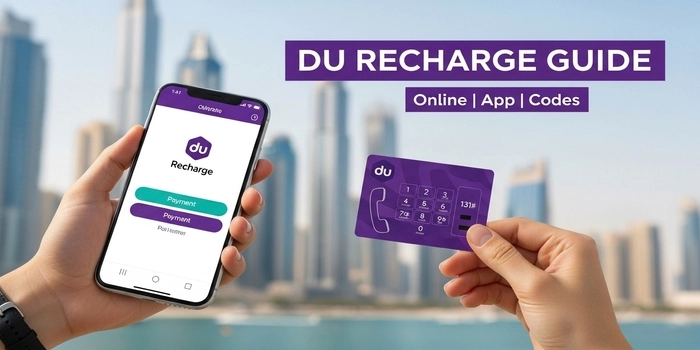
Finding the most convenient way to recharge your Du SIM is essential for staying connected while exploring the vibrant streets of Dubai or commuting via the RTA network. Whether you have just landed at DXB Airport or you are a long-term resident, understanding the different Du top-up methods can save you both time and money.
In this 2026 updated guide, we move beyond simple scratch cards to explore Du recharge online, app-based top-ups, and even recharging via Dubai Metro stations. As someone who relies on seamless connectivity to navigate UAE’s digital services, I have tested every method—from the classic USSD code *131* to the latest Apple Pay integrations—to bring you the most efficient ways to boost your Du prepaid credit and data instantly.
Table of Contents
How to Recharge Du Online Without Logging In
Many tourists and short-term visitors prefer not to download the mobile app. Du provides a “Quick Recharge” facility on their official portal that allows you to top up in seconds without creating an account.
- Step 1: Visit the official Du Quick Recharge Page.
- Step 2: Enter your UAE mobile number (starting with 055 or 052).
- Step 3: Choose your recharge amount or select a specific Data or Voice pack.
- Step 4: Securely pay using Visa, Mastercard, or Apple Pay.
- Benefit: This is the most efficient method for travelers who need an instant top-up using an international credit card while on the move.
Du Recharge Troubleshooting: Common Issues & Fixes
If your recharge is failing or you encounter an error, check these common solutions:
- Invalid Voucher Code: Double-check the 13-digit code on your scratch card. Ensure you are dialing the correct sequence:
*131* [13-digits] #. - SIM Status “Suspended”: In the UAE, if you do not recharge your SIM for more than 90 days, it may be suspended. You might need to visit a Du store with your Emirates ID or Passport to reactivate it.
- Payment Declined: If you are using a foreign bank card, ensure that “International Transactions” are enabled in your bank’s mobile app.
How to Transfer Balance from Du to Du
A great feature for families and friends is the “Credit Transfer” service. If someone is out of balance, you can send them some of yours instantly.
- The Code: Dial
*121* [Recipient's Number] * [Amount] # - Example: To send 20 AED to 0551234567, dial
*121*0551234567*20#. - Eligibility: You must have enough “More Time” credit in your account to perform this transfer. A small transaction fee may apply.
Recharging from Abroad: Keep Your UAE SIM Active
If you are outside the UAE and want to prevent your SIM from expiring, you can still top up.
- The My Du App works globally as long as you have internet access.
- Using the official website is recommended to avoid the high service fees charged by third-party international top-up websites.
- Expert Tip: Recharging at least AED 25 every 3 months is the safest way to keep your UAE number active while you are away.
After recharging, make sure to check your Du balance to confirm the transaction.
Conclusion
Staying connected in Dubai is seamless once you know the right codes and methods. From using USSD codes at a Metro station to a quick online recharge via your smartphone, you have multiple ways to ensure your data and minutes never run out.
Now that your SIM is topped up, you are ready to explore the city! Check out our latest guides on Dubai Bus Timings and How to Use the Nol Card to navigate the UAE like a pro.
Frequently Asked Questions (FAQs) About Du Recharge
How can I get a bonus on my Du recharge?
The best way to get a bonus is by recharging through the My Du App. Du frequently offers “Deal of the Day” rewards or 10-20% extra credit for digital top-ups. You can also dial *055# to check for personalized recharge offers.
Can I use a 5-dirham recharge for data?
Yes, but a 5 AED recharge is usually added to your “More Time” balance. To convert it to data, you would need to dial *135# after recharging and subscribe to a small daily data pack.
What is the Du recharge code for data only?
There isn’t a single “recharge code” for data. Instead, you recharge your main balance using *131*Code# and then dial *135# to select a data plan. Alternatively, you can buy a dedicated “Data SIM” recharge card at most supermarkets.
Can I recharge my Du SIM using a Nol Card?
Currently, you cannot directly use Nol Card balance to recharge your SIM. However, at many RTA Self-Service Machines in Metro stations, you can pay for your Du recharge using cash or a bank card at the same kiosk where you top up your Nol card.
How do I fix the “Invalid MMI Code” error when recharging?
This usually happens due to a weak network signal or an incorrect code format. Ensure you have full bars, and try using the My Du App or the official website if the USSD code (*131*) continues to fail.

Hi! We’re the Travel Blog Dubai Team — passionate travelers who explore Dubai every day to bring you honest tips, best places to visit, budget ideas, and real experiences.Whether you’re planning your first trip or you live in the UAE, our guides help you discover the best of Dubai, hassle-free.