Staying connected in the UAE is essential, whether you are navigating Dubai’s RTA bus routes or managing your business on the go. As a frequent traveler and resident utilizing the Du network, I understand how frustrating it can be when your data runs out unexpectedly. To ensure you never lose connectivity, knowing the precise du balance check codes is vital.
In this comprehensive guide, we cover every method to monitor your usage—from the official du balance check number to checking your data balance via SMS and the mobile app. Whether you are using a du prepaid tourist SIM or a postpaid plan, this 2026 updated walkthrough provides the exact USSD codes (*135#, *102#) and SMS shortcuts to track your remaining MBs and credit instantly.
Table of Contents
Quick Guide: Du Balance and Data Check Codes 2026
Before diving into the detailed methods, here is a quick reference table for all essential Du USSD codes and SMS keywords to manage your account instantly:
| Service Description | USSD Code | SMS Keyword | Send To |
| Check Main Balance | *135# | – | – |
| Check Data Balance (Prepaid) | *102# | balance | 1355 |
| Check Data Balance (Postpaid) | *177# | rewards | 1233 |
| Check International Minutes | *135*80# | – | – |
| Special Offers & Deals | *055# | – | – |
How to Check Du Data Balance via SMS
If you prefer receiving a detailed breakdown of your remaining MBs and validity via text message, follow these simple steps:
- Open the Messaging app on your smartphone.
- Create a new message and type the word “balance” (without quotes).
- Send this message to the shortcode 1355.
- Within seconds, you will receive an official SMS from Du with your prepaid data balance, bonus data, and expiry date.
How to Check Du Balance on iPhone and Android
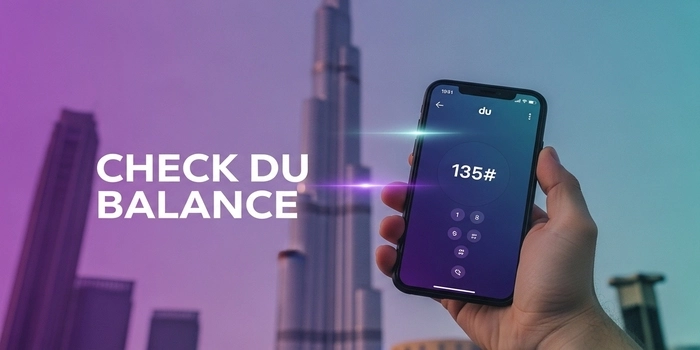
Checking your balance on an iPhone or Android device is seamless using the USSD method. Simply open your phone’s Dialer/Keypad, enter *135#, and press the call button. A “Flash Message” will appear on your screen showing your current credit balance. This method is free of charge and works even if you have zero balance.
How to Check Du Data Balance Expiry Date (Prepaid & Postpaid)
Knowing your remaining data is one thing, but knowing when it expires is crucial to avoid sudden disconnections. Whether you are using a daily, weekly, or monthly plan, follow these steps to check your validity:
1. Check Expiry via USSD Code
For a quick check on your data validity, dial *102#. A pop-up notification will appear on your screen showing:
- Your total remaining data (MB/GB).
- The exact date and time when your current data plan will expire.
2. Check Expiry for Postpaid Users
If you are on a Du postpaid plan, your data resets every billing cycle. To check your usage and the remaining days in your cycle:
- Dial
*177#from your Du mobile. - Or, send an SMS with “rewards” to 1233. You will receive a summary of your consumed data and the next renewal date.
Managing Special Du Data Offers (2 AED and 30 AED Plans)
Many tourists and residents in Dubai use budget-friendly plans like the 2 AED Daily Data or the 30 AED Monthly Data packages. Here is how you can manage them:
- Du 2 AED Daily Data: To check your usage for the daily 2 dirham plan, dial
*055#and follow the on-screen instructions under “My Offers.” - Du 30 AED Data Package: This is a popular social data plan. To check your remaining MBs for this specific package, dial
*135#and select the ‘Data’ option to see your active subscriptions.
Traveler Tip: If you are a visitor using the Du Tourist SIM, you might have received free 1GB of data. To check this specific “Welcome Data,” simply dial
*135#or use the official Du App for a visual breakdown of your free MBs.
Alternative Ways to Track Du Usage: App & Online Portal
If you are unable to check your balance via USSD codes or SMS, Du provides digital alternatives that are highly reliable for residents and long-term tourists.
1. Using the “My Du” Mobile App
The Du App is the most comprehensive tool for managing your SIM. It is available on both the Apple App Store and Google Play Store.
- Real-Time Tracking: View your data, minutes, and credit balance on a visual dashboard.
- Direct Recharge: You can top up your balance or buy new data packs directly using a credit card or recharge voucher.
- Auto-Renewal: Check if your data plans are set to auto-renew to avoid unexpected charges.
2. Checking Du Balance Online (Web Portal)
If you don’t want to download an app, you can use the Du MyAccount portal on their official website.
- Log in with your mobile number.
- You will receive a one-time password (OTP) for security.
- Once logged in, you can manage multiple Du numbers under one account, which is perfect if you have a separate data SIM for your iPad or router.
Why is my Du Balance Check Code Not Working?
Sometimes, users face issues while dialing *135# or *102#. Here are a few quick fixes:
- Network Signal: Ensure you have at least 2 bars of signal. USSD codes require a stable GSM connection.
- SIM Expiry: In the UAE, if you do not recharge your SIM for over 90 days, it might go into a “Suspended” state.
- Flight Mode: Try toggling Flight Mode ON and OFF to refresh your network connection.
Final Conclusion
Managing your internet in Dubai is just as important as knowing your way around the city. Now that you know how to keep your Du balance and data in check, you can explore the city without the fear of getting disconnected.
If you are planning to travel across the UAE, don’t forget to check our guide on Dubai Bus Routes and Timings and how to use your Nol Card for seamless travel on the Metro and RTA buses.

Hi! We’re the Travel Blog Dubai Team — passionate travelers who explore Dubai every day to bring you honest tips, best places to visit, budget ideas, and real experiences.Whether you’re planning your first trip or you live in the UAE, our guides help you discover the best of Dubai, hassle-free.