Blog
How to Check UAE Bus Card Balance Online in 2026 (Nol, Hafilat & Sayer)
February 25, 2026
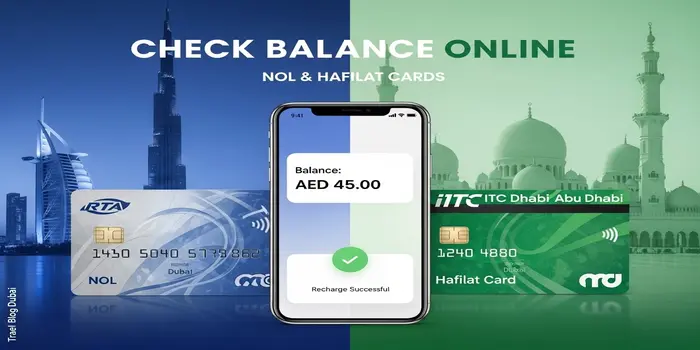
Stuck at a metro gate with zero balance? It happens to thousands of commuters in the UAE every day. The good news — checking your bus card balance takes less than 30 seconds, and you can do it without leaving home.
This guide covers all three UAE transit cards: the Nol Card in Dubai, the Hafilat Card in Abu Dhabi, and the Sayer Card in Sharjah and Northern Emirates. Every method listed below has been verified against the official RTA and ITC portals as of April 2026.
| ⚠ Important: Traveling with insufficient balance can result in an AED 200 fine. Always check your balance before boarding, especially after an online recharge. |
| Quick Answer: To check NOL card balance: visit nol.rta.ae → enter your 10-digit Tag ID → click Search. Your balance, pending credit, and card expiry date appear instantly. No login required. |
Table of Contents
Quick Reference: Official Balance Check Links
Use the table below to jump directly to the right portal for your card and city.
| City | Card | Official App | Web Portal |
| Dubai | Nol Card | nol Pay / RTA Dubai App | nol.rta.ae |
| Abu Dhabi | Hafilat Card | Darb App / Payit Wallet | hafilat.darb.ae |
| Sharjah / UAE | Sayer Card | Sharjah Transport App | sct.gov.ae |
How to Check Nol Card Balance — Dubai (All Methods)
The Nol card is Dubai’s smart transit card, issued by the Roads and Transport Authority (RTA). You can use it on the Dubai Metro, buses, trams, water buses, and even at selected retailers like Carrefour and ENOC fuel stations. To check your NOl card balance, you need your 10-digit Tag ID printed on the back of the card.
Method 1: RTA Official Website — Fastest Way
This is the quickest method and works on any device, even without the app installed.
- Open nol.rta.ae in your browser.
- Click “Check nol Balance” in the Public Transport section.
- Enter your 10-digit Tag ID (printed on the back of your card).
- Click Search — your balance, pending credit, and expiry date appear instantly.
| Pro Tip: Your 10-digit Tag ID starts with ‘0425’. If you see a longer number on your card, count only the 10 digits that form the main ID, ignoring any dashes or spaces. |
Method 2: nol Pay App — Balance + Transaction History
The nol Pay app is the most powerful option — it shows your full trip history, pending credits, and card expiry date. If your phone supports NFC, you don’t need to type a single number.
- Download the nol Pay app from the App Store (iOS) or Google Play (Android).
- Open the app and tap “Check Card Info” — no login needed for a quick balance check.
- If your phone has NFC enabled, place your physical Nol card against the back of your phone.
- The app reads the card chip and shows your balance, last 10 transactions, and any pending amount.
Method 3: SMS to 511
No internet? No problem. You can check your Nol balance by SMS from any UAE number.
- Open your phone’s SMS/messaging app.
- Type your 10-digit Tag ID in the message body.
- Send the SMS to 511.
- You will receive a confirmation that your number is registered. For future checks, simply send BAL to 511.
Method 4: WhatsApp
RTA Dubai’s official WhatsApp number lets you check your balance in a chat. Save +971 58 800 9090 and send your Tag ID to get your current balance. You can also ask about metro information, fines, and other RTA services through this channel.
Method 5: Ticket Vending Machine (TVM) at Metro Stations
Every Dubai Metro station has self-service kiosks where you can check and top up your Nol card instantly without internet.
- Locate the Ticket Vending Machine near the station entrance.
- Place your Nol card on the card reader / NFC tap area.
- Select “Check Balance” from the menu.
- Your balance and last transactions appear on the screen within seconds.
Method 6: Authorized Retailers (Carrefour, Zoom, Waitrose)
If you are already shopping, you can ask the cashier at any authorized Nol retailer to scan your card. They will check your balance and can also top it up on the spot. Retailers include Carrefour, Zoom, Waitrose, and ENOC fuel stations.
Method 7: RTA Customer Happiness Center
For any card issues — blocked cards, balance transfers, or damaged cards — visit any RTA Customer Happiness Center. Staff will scan your card and assist with full account management. Call 800 9090 to find the nearest center.
Nol Card Types — Which One Do You Have?
Not all Nol cards work the same way. There are four types, each designed for different users. Knowing which one you have helps you use it correctly — especially when it comes to minimum balance and validity.
| Card Type | Cost | Validity | Best For |
| Red Ticket | AED 2 | 10 trips or 90 days | Tourists, occasional use |
| Silver Card | AED 25 (AED 19 balance) | 5 years | Residents, general public |
| Gold Card | AED 25 (AED 19 balance) | 5 years | First class metro travel |
| Blue Card | Free (registration needed) | 5 years | Students, seniors, PwD |
The Blue Card (personal/registered card) gives access to discounted fares for students, senior Emirati citizens, and People of Determination. It requires Emirates ID registration at an RTA center.
| For Tourists: Buy a Nol Red Ticket (AED 2) or Silver Card (AED 25, includes AED 19 balance) at any Dubai Airport metro station, tram station, or bus terminal. No Emirates ID required for Silver Card. |
How to Check Nol Card Transaction History
Want to see exactly where and when you used your card? Nol transaction history shows every tap-in, tap-out, top-up, and fare deduction.
Via nol.rta.ae (Requires Login)
- Visit nol.rta.ae and log in to your registered account.
- Go to “Transaction History”.
- Select a date range to view trips, top-ups, and fare deductions.
- You can download the history as a PDF — useful for reimbursement claims.
Via nol Pay App
Open the nol Pay app and scan your card via NFC. Tap the “Transaction History” tab to see your last 10 trips and recharges. This does not require a login.
How to Check Hafilat Card Balance — Abu Dhabi (All Methods)
The Hafilat card is Abu Dhabi’s smart bus payment card, managed by the Integrated Transport Centre (ITC). In 2026, Abu Dhabi Mobility fully migrated to the Darb Platform as its primary transit management system. The old standalone Hafilat app has been replaced — use Darb or Payit instead.
Method 1: Hafilat Online Portal (Darb)
- Visit hafilat.darb.ae.
- Select “Recharge Card” from the menu.
- Enter your Card Serial Number (printed on the back of your Hafilat card).
- Your current balance appears on screen immediately. You can recharge from the same page.
Method 2: Darb Mobile App
Download the Darb App from the App Store or Google Play. Register your Hafilat card in the app to get 24/7 access to your balance, trip history, and any pending recharges. The app also supports real-time bus tracking for Abu Dhabi routes.
Method 3: Payit Digital Wallet
Abu Dhabi’s Payit Digital Wallet (by First Abu Dhabi Bank) is now integrated with the Hafilat system. To check your balance:
- Download Payit from the App Store or Google Play.
- Register and verify your account using your mobile number and OTP.
- Link your Hafilat card from the “Transport” section.
- Your balance shows on the dashboard. Tap “Transaction History” to see your last five trips.
- To top up, select an amount and pay via credit/debit card.
| After Online Recharge: Tap your Hafilat card on any bus validator or TVM to activate the new balance. Online recharges can take 15–45 minutes to sync. If it still does not update after 48 hours, contact Hafilat support. |
Method 4: Ticket Vending Machine (TVM) at Bus Stations
Every major Abu Dhabi bus terminal has certified TVM machines for balance inquiry and top-up. Key locations include Abu Dhabi Central Bus Station, airport transfer areas, and major interchange terminals. Look for machines labeled “Recharge & Balance Inquiry”.
- Tap the screen or press any button to activate the machine.
- Select your preferred language — English or Arabic.
- Place your Hafilat card on the NFC tap area (marked with the Hafilat logo).
- Tap “Balance Inquiry” from the main menu.
Method 5: Intercity Bus NFC Readers
Intercity buses (Abu Dhabi to Al Ain, Ruwais, Madinat Zayed) have NFC readers near the front entrance. Tap your card and select Balance Inquiry to see your remaining credit before boarding.
Method 6: Hafilat Customer Service Counter
At major bus terminals, walk up to the customer service counter and hand your card to the staff. They will check your balance, process recharges, and assist with card issues. This is the best option for anonymous cards that cannot be managed online.
How to Check Sayer Card Balance — Sharjah & Northern Emirates
The Sayer Card is used on Sharjah City Transport (SCT) buses and routes connecting Sharjah with Ajman, Umm Al Quwain, and Ras Al Khaimah. It is issued by the Sharjah Roads and Transport Authority (SRTA)
Method 1: SRTA Website
Visit sct.gov.ae and navigate to the Sayer Card balance inquiry section. Enter your card number to check your available credit.
Method 2: Sharjah Transport App
Download the Sharjah Transport App from the App Store or Google Play. Register your Sayer Card to monitor balance and trip history. The app also provides real-time bus arrival information for SCT routes.
Method 3: Bus Card Reader / Station Kiosk
Tap your Sayer Card on any bus validator when boarding — the reader displays your current balance. Station kiosks at Al Jubail Bus Station (Sharjah) also support balance inquiry and top-up.
Why Is My Balance Not Updating After an Online Recharge?
This is the most searched question about UAE bus cards — and it has a simple explanation. When you recharge online, the payment goes through immediately, but the balance is not written to your physical card chip until you tap your card at a reader.
What Actually Happens
- You pay online → a “Pending Credit” is added to your account in the RTA or Darb system.
- The pending amount is not yet on your card chip — it is waiting to be transferred.
- The moment you tap your card at any metro gate, bus reader, or TVM, the system writes the pending credit to the chip.
- For Hafilat cards, this sync can take 15–45 minutes even after tapping.
What to Do
- Wait at least 45–60 minutes after the online payment.
- Tap your card at a metro gate, bus reader, or TVM — this triggers the balance write.
- If using the nol Pay app: scan your card via NFC again after payment to see the updated balance.
- If the balance still does not update after 48 hours, call 800 9090 (Nol) or contact Hafilat support via the Darb App.
| ⚠ Important: Do not board a bus or enter a metro gate while relying on a pending recharge that has not yet been activated. The gate may reject your card and you could face a fine. |
Minimum Balance Requirements & AED 200 Fine
All three UAE transit systems require a minimum balance before you can board. If you tap in with less than the required amount, the gate will not open. The table below shows what you need.
| City | Card | Minimum Balance |
| Dubai | Nol Card | AED 7.50 (1 zone, single journey) |
| Abu Dhabi | Hafilat Card | AED 2.00 (local), AED 10–25 (intercity) |
| Sharjah | Sayer Card | AED 2.00 (local buses) |
The AED 200 fine applies to passengers who travel with insufficient balance or fail to tap out at the destination. This is enforced across Dubai, Abu Dhabi, and Sharjah transit systems. Inspectors on buses and at metro gates check cards routinely.
| Good Practice: Keep at least AED 20–30 on your Nol card at all times. Enable auto top-up in the nol Pay app or RTA Dubai App — it automatically recharges when your balance drops below a set threshold. |
Nol Card for Tourists — What You Need to Know
If you are visiting Dubai, you do not need a residency visa or Emirates ID to buy and use a Nol card. Here is everything you need to know before you arrive.
Where to Buy a Nol Card
- Dubai International Airport (DXB): Metro stations at Terminal 1 and Terminal 3 have Nol card vending machines.
- Any Dubai Metro or Tram station: Ticket offices and vending machines are available at every station.
- Authorized retailers: Carrefour, Zoom, and ENOC stations across Dubai.
Red Ticket vs Silver Card — Which Should Tourists Buy?
- Red Ticket (AED 2): Valid for 10 trips or 90 days. Ideal for a short visit of 1–3 days.
- Silver Card (AED 25, includes AED 19 balance): Reloadable, valid 5 years. Better value for stays of 4+ days. Can be refunded at Customer Happiness Centers when you leave.
One Nol card covers one person. You cannot use a single card for multiple passengers — each traveler needs their own card.
How to Transfer Balance from a Lost or Expired Nol Card
Balance transfer is only possible for registered (personalized) Nol cards. Anonymous Silver Cards cannot be recovered if lost.
- Dubai (Nol): Visit nol.rta.ae and use the “Balance Transfer” service, or visit any RTA Customer Happiness Center with your Emirates ID.
- Abu Dhabi (Hafilat): Visit any Hafilat bus terminal counter with your Emirates ID. The staff will check your registered card and transfer the balance to a new card.
- Sharjah (Sayer): Contact the SRTA customer service center at Al Jubail Bus Station with your Emirates ID and original card details.
| ⚠ Important: Anonymous (Silver/Green) bus cards with no registered account cannot have their balance recovered if lost. Always register your card online to protect your credit. |
Frequently Asked Questions (FAQs)
Can I check my Nol or Hafilat card balance using my passport number?
No. The RTA and Darb portals only allow balance checks using the Tag ID (Nol) or Serial Number (Hafilat) printed on the back of the card. Passport numbers are not linked to the public balance inquiry system for privacy reasons.
How do I check my Nol card balance by mobile number?
You cannot check the balance directly by mobile number alone. However, if your card is registered on the RTA Dubai App or nol Pay app, you can log in with your linked mobile number to view your balance. Alternatively, you can SMS your Tag ID to 4848 to get an update.
Why is my balance not updating after an online recharge?
You cannot check balance directly by mobile number alone. If your card is registered on the RTA Dubai App or nol Pay app, log in with your linked mobile number to view your balance. Alternatively, register your number and send BAL to 511 via SMS for a quick check.
How do I check my Nol card expiry date?
Visit nol.rta.ae and enter your Tag ID — the results page shows your balance and card expiry date. The nol Pay app also displays expiry date when you scan your card via NFC. Standard Nol cards (Silver/Gold) are valid for 5 years from the date of issue.
How can I transfer balance from an expired or lost bus card?
Balance transfer is only possible for Personalized/Registered cards.
Dubai: Use the RTA website’s “Balance Transfer” service or visit a Customer Happiness Center.
Abu Dhabi: Visit a bus terminal counter with your Emirates ID. Balance from Anonymous (silver/green) cards cannot be recovered if the card is lost.
Can I use my phone’s NFC to scan my bus card balance?
Yes — for Nol cards, use the nol Pay app on any NFC-enabled Android or iPhone. For Hafilat cards, use the Darb App or Payit app. Simply enable NFC in your phone settings and hold the card against the back of your phone to read the chip.
What is the difference between Nol Silver and Gold card?
Both cost AED 25 and include AED 19 starting balance, with 5-year validity. The Gold Card provides access to the Gold Class carriages on the Dubai Metro (front and rear carriages) and premium waiting areas. The Silver Card is for standard class travel only.
Why does my Hafilat balance show zero after a recharge?
Online recharges require physical activation. Tap your Hafilat card on any bus validator or TVM machine to write the pending credit to the card. If you recharged via Payit, the sync may take up to 45 minutes. If nothing changes after 48 hours, contact ITC Abu Dhabi support via the Darb App.

Hi! We’re the Travel Blog Dubai Team — passionate travelers who explore Dubai every day to bring you honest tips, best places to visit, budget ideas, and real experiences.Whether you’re planning your first trip or you live in the UAE, our guides help you discover the best of Dubai, hassle-free.