Blog
FAB Balance Check Online: Quick Answer
February 18, 2026
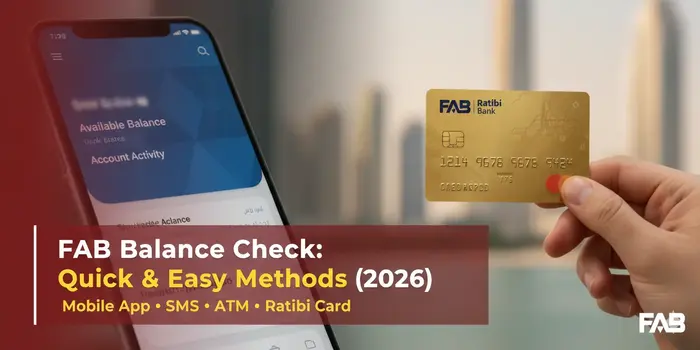
If you want to check your FAB balance online, the correct method depends on the type of account or card you use.
- FAB bank account: Use the FAB Mobile app or FAB Internet Banking to view your account balance and transaction history.
- FAB Ratibi salary card: Use the official Ratibi Prepaid Card Balance Enquiry portal. FAB provides this link on its official Ratibi card page.
- Forgot your FAB Mobile PIN: Open the app, select Forgot PIN, and follow the on-screen instructions.
- Need help with Ratibi? Contact the Ratibi service team on 600 522 298 within the UAE or +971 2 499 6279 from outside the UAE.
Before checking your balance, make sure you select the correct service. A regular FAB bank account and a Ratibi prepaid salary card do not necessarily use the same balance enquiry process.
Table of Contents
What Is First Abu Dhabi Bank (FAB)?
First Abu Dhabi Bank, commonly known as FAB, is a UAE-based bank that offers personal banking accounts, cards, digital banking services and prepaid salary cards.
Customers can manage their banking through digital channels, including FAB Mobile and FAB Internet Banking. These services allow eligible customers to check balances, review transactions and manage their accounts without visiting a branch.
FAB also offers the Ratibi Prepaid Card, a payroll solution that enables eligible employees to receive their salaries on a card without opening a traditional bank account. FAB describes Ratibi as a salary solution designed for employees earning up to AED 5,000.
This distinction is important when searching for a FAB balance check online because the method for checking a bank account may differ from the method for checking a salary card.
Check Your Balance: Choose the Right Card Type
Before following any instructions, identify the account or card you have.
| Account or card type | Where to start |
|---|---|
| FAB current or savings account | FAB Mobile or Internet Banking |
| FAB debit card linked to a bank account | FAB Mobile or Internet Banking |
| FAB Ratibi salary card | Official Ratibi balance enquiry portal |
| FAB credit card | FAB Mobile or Internet Banking |
| Magnati prepaid card | Use the official portal or instructions associated with that specific card |
| Lulu salary card | Check the card issuer and its official balance enquiry service |
| C3Pay / RAKBANK C3 card | Use the official C3Pay service, not the FAB Ratibi portal |
| Another UAE salary card | Identify the card issuer before checking the balance |
FAB confirms that customers can view account balances and transaction history through its mobile and internet banking services. Its Ratibi product page separately directs existing cardholders to a dedicated balance enquiry portal.
Important: Do not enter your card details into an unrelated balance-check website. If your card is not issued under FAB or Ratibi, verify the issuer before proceeding.
FAB Balance Check Methods Compared
| Method | Best for | Speed | Internet needed | Registration |
|---|---|---|---|---|
| FAB Mobile app | Everyday checks | Instant | Yes | Yes (one-time) |
| Internet Banking | Desktop users | Instant | Yes | Yes |
| SMS to 2121 | No internet | ~1 minute | No | Yes (mobile registered) |
| Ratibi portal | Ratibi salary card | Instant | Yes | No (card details) |
| ATM | Cash + balance together | Instant | No | No (card + PIN) |
| Phone helpline | Help / blocked access | 2–5 minutes | No | Verification on call |
| Payit app | Payit account balance | Instant | Yes | Yes |
How to Check Your FAB Account Balance — All Methods
There are several ways to check a FAB bank account balance. The two clearest online options are FAB Mobile and FAB Internet Banking.
1. FAB Balance Check Through the Mobile App
FAB Mobile is the bank’s official mobile banking application. It supports account and card management, balance checks and transaction history.
Follow these steps:
- Download FAB Mobile from the official app store for your device.
- Open the app and sign in using your registered access details.
- Complete any security verification requested by the app.
- Open the account or card you want to check.
- Review the available balance and recent transactions shown on the account screen.
The exact layout may vary depending on the app version and your banking products.
Why use the FAB Mobile app?
- Check your balance without visiting a branch.
- Review recent account transactions.
- Manage eligible debit and credit cards.
- Access support through the app.
FAB also allows existing customers to register for FAB Mobile. Its official guidance lists a customer number, debit card number or credit card number among the information that may be used to get started. Follow the current registration instructions inside the official app.
2. FAB Balance Check Online Through Internet Banking
If you prefer using a computer or mobile browser, FAB Internet Banking is another option.
Steps to check your FAB bank balance online:
- Open the official FAB website.
- Navigate to the personal banking login option.
- Select the appropriate online banking service.
- Sign in using your registered credentials.
- Open your account overview to view your balance and transaction history.
FAB’s service-status page lists viewing account balances and transaction history among the available internet banking functions.
Always check that the website address is genuine before entering your login information. Avoid signing in through links sent by unknown people or unverified websites.
3. FAB Balance Check Through SMS (2121)
FAB offers SMS banking for balance enquiries — useful when you have no internet access.
- From your registered UAE mobile number, type BAL, a space, and the last 4 digits of your card or account (for example: BAL 1234).
- Send it to 2121.
- You will receive your balance by SMS within a minute.
For FAB credit cards, send CBAL plus the last 4 digits to 2121 instead.
Important: this only works from the mobile number registered with FAB, and you must be registered for SMS banking first (via ATM, branch, or helpline 600 52 5500). Your operator’s standard SMS charges may apply. Ratibi salary-card holders should use the dedicated Ratibi portal as the primary method.
4. FAB Balance Check at an ATM
You may also be able to check your balance at an ATM using the relevant bank card.
For a regular FAB debit card, use an ATM that supports your card and follow the on-screen balance enquiry options. Availability, fees and displayed information can depend on the ATM and card type.
For Ratibi, FAB states that the card can be used at ATMs and that cardholders can select their own PIN through FAB ATMs.
Keep in mind: ATM balance enquiry and cash withdrawal are different services. Check any fee displayed on the ATM before confirming a transaction, particularly when using another bank’s machine.
5. FAB Balance Check by Phone
If you cannot access online banking or need help identifying the correct balance enquiry method, contact FAB through its official customer-support channels.
For Ratibi-specific assistance, FAB lists these numbers:
- Within the UAE: 600 522 298
- Outside the UAE: +971 2 499 6279
These are the Ratibi service numbers listed on FAB’s official contact page.
FAB Customer Care Numbers
| Service | Inside UAE | Outside UAE |
|---|---|---|
| Personal banking | 600 52 5500 | +971 2 6811511 |
| Ratibi salary card | 600 522298 | +971 2 499 6279 |
| Lost / stolen cards | 600 52 5500 (report immediately) | +971 2 6811511 |
When contacting customer support, explain whether you have a regular FAB account, a debit or credit card, or a Ratibi salary card. This helps direct your enquiry to the appropriate team.
6. Can You Check Your FAB Balance Through Payit?
Payit is a digital financial service associated with FAB. FAB describes its Payit Universal Account as a digital account with an IBAN and features for receiving money, making transfers and managing everyday financial needs.
If you use Payit, open the official Payit app and check the balance for your own Payit account.
However, a Payit balance is not automatically the same as a FAB bank-account balance or a Ratibi card balance. Use the relevant service for the account that holds your money.
FAB Salary Card Balance Check Online
If your employer pays your salary through a FAB salary card, first check whether the card is a Ratibi Prepaid Card.
FAB explains that Ratibi allows eligible employees to receive salary payments on a prepaid card without requiring a traditional bank account.
For a Ratibi card, use the following process:
- Visit the official Ratibi Prepaid Card Balance Enquiry portal.
- Follow the information and verification instructions displayed on the official page.
- Enter only the details requested by the verified portal.
- Review the balance information returned by the service.
The portal is linked directly from FAB’s official Ratibi product page.
If the portal does not work, avoid repeatedly submitting your details. Check the official FAB website for service updates or contact the Ratibi team.
Ratibi FAB Balance Check
The searches “ratibi fab balance check” and “ratibi balance check” often reflect a specific need: employees want to confirm how much salary has been credited to their prepaid cards.
The most important step is to use the dedicated Ratibi balance enquiry service rather than the regular personal banking login.
FAB states that Ratibi cardholders receive free SMS alerts when salary is credited. If you have not received an expected alert, check your balance through the official portal and contact your employer if the salary itself appears to be missing.
FAB Salary Card Balance Check Online Without Logging In
If you do not have access to FAB Mobile or Internet Banking, start with the Ratibi balance enquiry portal if your card is a Ratibi card.
If you have a different salary card, do not assume that Ratibi’s portal will work. Check the card name and issuer printed on your card or included in the documents provided by your employer.
You should never need to give your card PIN or one-time password to an unrelated website just to read an article about balance checking.
FAB Balance Check — Card Services and Prepaid Card Inquiry
A prepaid card is not always linked to a traditional bank account. That is why the correct balance enquiry service matters.
FAB offers different prepaid card products, including Ratibi and other specialised cards. Its official prepaid card section lists these products separately.
Use the following approach:
- Ratibi card: Start with the official Ratibi balance enquiry portal.
- FAB account-linked debit card: Check the account through FAB Mobile or Internet Banking.
- FAB credit card: Use FAB’s official digital banking service to view the card balance and transactions.
- Magnati prepaid card: Verify the specific card and its official inquiry portal.
- Lulu or C3Pay salary card: Use the service provided for that card, and confirm its issuer before entering personal details.
This separation helps prevent a common problem: following instructions for a salary card that is different from the one you actually own.
How to Register for FAB Online Banking
If you have a FAB account but have not registered for digital banking, use the bank’s official registration process.
FAB Mobile supports registration for existing customers. Its official guidance says customers may need their customer number or debit or credit card number, a compatible smartphone and a secure internet connection. FAB also describes a newer registration process involving Emirates ID verification and a video selfie. The steps available to you may depend on the current registration flow.
To get started:
- Visit the official FAB website or download FAB Mobile from your device’s official app store.
- Select the registration or sign-up option.
- Follow the identity-verification instructions.
- Complete the required security steps.
- Set up your login access and follow the app’s instructions to view your account.
If you already use FAB Internet Banking, do not assume that you are automatically registered for FAB Mobile. FAB says customers need to register for the mobile app separately under its current security process.
Forgot Your FAB Online Banking Password?
If you cannot sign in, first identify whether the issue concerns your FAB Mobile PIN or your internet banking password.
If You Forgot Your FAB Mobile PIN
- Open FAB Mobile.
- On the login screen, select Forgot PIN.
- Follow the verification instructions.
- Complete the reset process before trying to sign in again.
FAB’s mobile banking guidance says customers can use the Forgot PIN option to unlock mobile banking access.
If You Cannot Access Internet Banking
Use the official FAB website and follow the available account recovery instructions. If you receive an error or cannot complete verification, contact FAB through its official support channels.
Do not share your password, card PIN or OTP with anyone claiming they can recover your account for you. FAB’s security guidance emphasises the importance of protecting banking credentials and using genuine banking channels.
NBAD Balance Enquiry and FAB Balance Check
NBAD stands for National Bank of Abu Dhabi. It merged with First Gulf Bank in 2017 to form First Abu Dhabi Bank.
If you are searching for “NBAD balance enquiry”, you may be looking for the balance enquiry service associated with the former NBAD bank.
For current personal banking services, start with FAB’s official digital banking channels. For a Ratibi prepaid card, use the separate Ratibi balance enquiry portal instead.
The correct route depends on whether you have a current FAB bank account, an older banking record, or a Ratibi salary card. If you are unsure which service applies to your account, contact FAB and ask them to identify the correct channel.
Common FAB Balance Check Issues and How to Fix Them
FAB Balance Enquiry Portal Is Not Opening
Try opening the official portal again from FAB’s Ratibi product page. Check your internet connection and try a different browser if the page does not load.
If the problem continues, contact Ratibi support instead of entering your details on an alternative website found through an unverified search result.
FAB Mobile Is Not Letting You Log In
Check whether the app needs an update and confirm that your internet connection is working. If you forgot your PIN, use the app’s Forgot PIN option. FAB also advises customers who continue to experience access issues to contact the bank.
My FAB Balance Is Not Updating
If the balance looks different from what you expected:
- Check the latest transactions and account activity.
- Confirm whether a payment, withdrawal or transfer is still pending.
- Check that you are viewing the correct account or card.
- Contact FAB if you notice an unexplained transaction or a balance discrepancy.
Do not assume that an unexpected balance is simply a technical error, especially if you see a transaction you do not recognise.
My Ratibi Salary Has Not Appeared
First, check your Ratibi balance through the official enquiry portal. If the salary is still missing, ask your employer or payroll department to confirm that the payment was processed.
If your employer confirms that the salary was sent but the amount is not visible, contact Ratibi support with the relevant payment information. Do not share your card PIN or OTP while making the enquiry.
I Am Getting an Error While Checking My Balance
Make sure you are using the service for the correct product. A regular FAB bank account, Ratibi card, C3Pay card and other prepaid cards may use different systems.
If the details are correct and the error continues, use the official support channel for your specific card or account.
Can You Check Your FAB Balance Outside the UAE?
Yes. FAB states that customers can use FAB Mobile outside the UAE when they have Wi-Fi access or mobile data roaming through their operator.
If you are abroad:
- Open FAB Mobile or the relevant official banking service.
- Connect to a secure internet connection.
- Sign in and complete any required verification.
- Open the relevant account or card to view its balance.
If you use a Ratibi card, start with the official Ratibi balance enquiry service. If the portal does not work from your location, contact Ratibi support using the international contact number listed by FAB.
Avoid logging in from public or shared devices whenever possible, and never save banking credentials on a device you do not control.
Which FAB Balance Check Method Should You Use?
- Smartphone + internet: FAB Mobile app — fastest for daily checks.
- No app / on desktop: Internet Banking, or the Ratibi portal for salary cards.
- No internet: SMS BAL to 2121 from your registered mobile.
- Need cash too: any FAB ATM.
- Stuck or blocked: call 600 52 5500 (personal banking) or 600 522298 (Ratibi).
FAB E-Dirham Card Balance Check
The FAB-issued E-Dirham card, used for UAE government service payments, is separate from regular FAB accounts and the Ratibi portal. Check its balance through the E-Dirham portal/app or the channels printed in your card documentation.
Security Tips for Checking Your FAB Balance Online
- Only sign in on bankfab.com or the official FAB Mobile / Payit apps — never through links in SMS or email.
- Never share your PIN, password, or OTP with anyone, including callers claiming to be from the bank.
- FAB has no official WhatsApp banking — messages offering balance checks over WhatsApp are scams.
- Avoid public Wi-Fi for banking, and never save credentials on a shared device.
FAQs About FAB Balance Check
1. How can I check my FAB balance online?
You can check a regular FAB bank account through FAB Mobile or FAB Internet Banking. For a Ratibi salary card, use the dedicated Ratibi balance enquiry portal.
2. How do I check my FAB salary card balance?
First, confirm whether your salary card is a Ratibi card. If it is, visit the official Ratibi balance enquiry portal and follow its instructions. If it is a different salary card, use the service specified by that card’s issuer.
3. Is FAB balance check online free?
FAB says most FAB Mobile services are free, although certain transfers may incur charges. Fees for other services, including specific card or ATM transactions, may differ. Check the relevant service’s current terms before proceeding.
4. Can I check my FAB balance without the mobile app?
Yes. Regular FAB customers can use Internet Banking. Ratibi cardholders can use the official Ratibi balance enquiry portal.
5. What is the official Ratibi balance check website?
The official portal linked from FAB’s Ratibi product page is ppc.magnati.com/ppc-inquiry.
6. What is the FAB Ratibi customer-care number?
FAB lists 600 522 298 for Ratibi service within the UAE and +971 2 499 6279 for customers outside the UAE.
7. Can I check my FAB balance through SMS?
Yes — send BAL plus the last 4 digits of your card to 2121 from your registered UAE mobile number (use CBAL for credit cards). You must be registered for FAB SMS banking first.
8. Why is my Ratibi balance showing zero?
Check that you are using the correct card details and official portal. If you are expecting a salary payment, ask your employer or payroll team to confirm the payment. If the issue remains, contact Ratibi support.
9. Can I use the Ratibi portal for a C3Pay card?
Do not assume that you can. Ratibi and C3Pay are different salary-card services. Use the balance enquiry channel associated with your card issuer.
10. What should I do if my FAB balance looks incorrect?
Review your recent transactions and contact FAB through its official support channels if the balance remains unexplained or you see an unfamiliar transaction. Report suspected fraud promptly.

Hi! We’re the Travel Blog Dubai Team — passionate travelers who explore Dubai every day to bring you honest tips, best places to visit, budget ideas, and real experiences.Whether you’re planning your first trip or you live in the UAE, our guides help you discover the best of Dubai, hassle-free.